






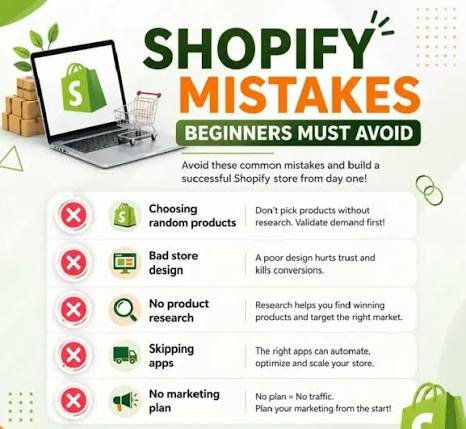
A well-designed online store can make a major difference in how visitors interact with your brand and whether they decide to purchase. Shopify makes it easy to create an eCommerce website, but simply choosing a theme and adding products is not enough. Poor design choices can make your store difficult to navigate, slow to load, or less trustworthy.
Whether you are launching a new Shopify eCommerce store or improving an existing one, understanding common Shopify store design mistakes can help you create a professional, user-friendly, and conversion-focused website.
In this guide, we will discuss the most common mistakes businesses should avoid when designing a Shopify store and how to improve the overall shopping experience.
1. Choosing a Theme Without Considering Your Brand
One of the first decisions Shopify store owners make is selecting a theme. While it is tempting to choose a theme simply because it looks attractive, appearance should not be the only consideration.
Your Shopify theme should match your brand identity, products, target audience, and business goals. A theme that works well for a fashion store may not be suitable for electronics, beauty products, or B2B businesses.
Before selecting a theme, consider:
- Brand colors and typography
- Product presentation
- Navigation structure
- Mobile responsiveness
- Customization options
- Loading performance
- User experience
A professional Shopify website design should create a consistent visual identity across the homepage, product pages, collection pages, and checkout journey.
2. Overcomplicating the Store Design
Another common Shopify store design mistake is adding too many elements to the website. Store owners sometimes use excessive animations, pop-ups, banners, colors, icons, and promotional messages because they want to attract attention.
However, too many elements can distract visitors from the products and make the website difficult to understand.
A clean design usually performs better because customers can quickly identify:
- What the business sells
- Which products are available
- How much products cost
- Where to find important information
- How to make a purchase
Keep your design simple and organized. Use white space effectively and make important calls-to-action easy to identify.
3. Ignoring Mobile Users
A large percentage of online shoppers browse and purchase products using smartphones. Designing your Shopify store only for desktop users can therefore result in a poor customer experience.
Your Shopify website design should be responsive and work properly across different screen sizes.
Check your store on:
- Smartphones
- Tablets
- Laptops
- Desktop computers
Pay particular attention to buttons, product images, navigation menus, text size, forms, and checkout elements.
A mobile-friendly store should allow customers to browse products, add items to their cart, and complete purchases without unnecessary difficulty.
4. Using Low-Quality Product Images
Product images are one of the most important elements of an eCommerce website. Customers cannot physically inspect your products, so images help them understand what they are buying.
Using blurry, poorly cropped, inconsistent, or low-quality images can make your store look unprofessional.
For better Shopify store optimization, use clear and high-resolution product images. Whenever appropriate, include multiple views of the product, close-up shots, lifestyle images, and images showing size or scale.
Make sure product images also have consistent dimensions and styling throughout your store.
5. Making Navigation Difficult
Customers should not have to search through multiple pages to find a product. Complicated navigation is one of the common Shopify store design mistakes that can increase frustration and cause visitors to leave.
Create a clear navigation structure with logical categories and collections.
For example, a clothing store could organize products into:
- Men
- Women
- New Arrivals
- Best Sellers
- Accessories
- Sale
Use descriptive menu labels instead of confusing or overly creative terms. A search bar can also help customers quickly locate specific products.
6. Neglecting Product Page Design
Getting visitors to your product pages is only part of the process. The product page needs to provide enough information to help customers make an informed purchasing decision.
A strong product page should generally include:
- Clear product title
- High-quality images
- Product description
- Price
- Available variants
- Size information where relevant
- Stock information
- Shipping details
- Return information
- Customer reviews
- Clear Add to Cart button
Avoid writing descriptions that are too short or copied directly from suppliers. Original, useful product descriptions can improve both customer understanding and SEO.
7. Using Too Many Pop-Ups
Pop-ups can be useful for email subscriptions, discounts, announcements, or special offers. However, using too many pop-ups can negatively affect the shopping experience.
If visitors immediately see multiple pop-ups after entering your store, they may become frustrated before exploring your products.
Use pop-ups strategically. Make sure they are easy to close and do not block important content, especially on mobile devices.
The goal of Shopify store optimization should be to support the customer journey rather than interrupt it.
8. Forgetting Website Speed
Website speed is important for both user experience and eCommerce performance. A slow Shopify store can make visitors impatient and may increase the chances of them leaving before completing a purchase.
Large images, unnecessary apps, excessive animations, and poorly optimized code can contribute to slower loading times.
To improve performance:
- Compress images
- Remove unnecessary apps
- Avoid excessive animations
- Use optimized media
- Review third-party scripts
- Keep your theme streamlined
A faster Shopify eCommerce store provides a smoother browsing experience and makes it easier for customers to move from product discovery to checkout.
9. Making the Checkout Process Complicated
A customer may add products to their cart but abandon the purchase if checkout is confusing or requires unnecessary steps.
Keep the checkout experience as straightforward as possible. Provide clear information about shipping costs, payment methods, taxes, and returns.
Unexpected costs are another common reason customers abandon their carts. Clearly communicate important charges before customers reach the final payment stage.
The overall goal is to reduce friction and make completing a purchase simple.
10. Not Building Customer Trust
Customers need to feel comfortable before entering their personal and payment information on an online store.
A professional Shopify store should clearly communicate important trust signals.
Consider adding:
- Customer reviews
- Secure payment information
- Contact details
- Return and refund policies
- Shipping information
- Privacy policy
- Terms and conditions
- Frequently asked questions
Displaying genuine reviews and useful policies can help customers understand how your business operates.
11. Ignoring SEO During Store Design
Good design is important, but your store also needs to be discoverable through search engines.
SEO should be considered during the design and content process rather than added at the very end.
For effective Shopify store optimization, pay attention to:
- Page titles
- Meta descriptions
- Product descriptions
- Heading structure
- Image alt text
- URLs
- Internal links
- Collection pages
- Site structure
Use relevant keywords naturally. For example, terms such as Shopify store design, Shopify website design, and Shopify eCommerce store can be incorporated where they genuinely fit the content.
12. Using Inconsistent Branding
A Shopify store should have a consistent visual identity. Using different fonts, colors, button styles, image styles, and layouts on different pages can make the website look unprofessional.
Choose a consistent color palette and typography system. Your homepage, product pages, collection pages, banners, and other sections should feel like part of the same brand.
Consistency helps customers recognize your business and creates a more professional shopping environment.
13. Forgetting to Test the Store
Launching a store without testing it properly is another major mistake.
Before making your Shopify store live, test the complete customer journey.
Check:
- Navigation menus
- Product links
- Search functionality
- Add to Cart buttons
- Product variants
- Discount codes
- Checkout process
- Payment methods
- Contact forms
- Mobile responsiveness
- Page loading speed
Try to browse the store as if you were a first-time customer. This can help identify problems that may otherwise go unnoticed.
How to Create a Better Shopify Store Design
Avoiding common mistakes is only the first step. A successful Shopify store design should focus on simplicity, usability, trust, and conversions.
Start by understanding your target customers and what they need from your website. Then create a clear structure that guides visitors from the homepage to relevant collections, product pages, cart, and checkout.
Use professional product images, compelling descriptions, clear calls-to-action, consistent branding, and mobile-friendly layouts.
You should also regularly review your store performance. Customer behavior, analytics, sales data, and feedback can reveal areas that need improvement.
Remember that Shopify store optimization is an ongoing process. Your store may need design, content, speed, SEO, and user-experience improvements as your business grows.
Conclusions
A successful Shopify store is more than an attractive website. It should provide customers with a simple, trustworthy, and convenient shopping experience.
Common Shopify store design mistakes such as complicated navigation, poor product images, slow loading times, weak product pages, excessive pop-ups, inconsistent branding, and poor mobile optimization can negatively affect the customer journey.
By focusing on clean Shopify website design, strong product presentation, mobile responsiveness, easy navigation, SEO, speed, and customer trust, you can create a more effective Shopify eCommerce store.
Whether you are building a new store or improving an existing one, regular Shopify store optimization can help create a better experience for visitors and support long-term eCommerce growth.