



business not showing on Google Maps when customers look for them, this could be your problem. This presents a challenge for users to find your company, come to visit, or get in touch with you. Keeping the Google Business Profile up to date and in good condition can assist customers in getting the right information about your business.
1. Your Google Business Profile Is Not Verified
One of the reasons that your business not showing on Google Maps is likely a problem with verification, business information, or categories, or it may be that your local SEO is lacking. Work N Solution details typical issues and solutions to enhance your Google Maps searchability and gain new customers.
Your Google Business Profile is not verified.Your Google Business Profile is not verified.
If your profile has not been verified, it might not be displayed as you’d like. Google might need to verify to ensure that you are permitted to run the business.
Solution: Log in to your Google Business Profile, review its status and finish Google’s verification process. For those who still haven’t got their business listed on Google Map, look for any pending verification requests.
2. Your Business Information Is Incorrect
You must update the information about your business.You need to correct the business information.
Your business listing may lose usefulness if you provide incorrect business names, phone numbers, addresses, or opening/hours, etc.
Solution: Check your business information, and make sure it is correct and current. Include your website details, contact information, business hours, and service area, if applicable.
3. You Selected the Wrong Business Category
The third factor is choosing the wrong business category.The third factor is selecting the right business category.
Google will know what services you offer based on your main business type. If you have an irrelevant category, it will lower the chances of finding a related search.
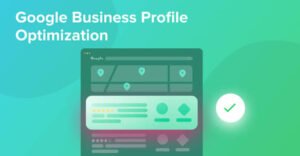
Solution: Pick the best fit primary category and then add other categories if they are applicable. One of the crucial components of Google Business Profile optimization is the correct classification.
4. Your Profile Is Suspended or Restricted
Suspended profiles can be removed from Google Maps. This can occur if Google detects that there may be guidelines violations, such as incorrect business information or an invalid address.
Solution: Review your profile status, read Google’s guidelines, fix any of the rules you’ve broken and follow the official reinstatement process if you need to be reinstated. Do not create multiple profiles as a way to work around restrictions.
5. Your Google Business Profile Is Incomplete
When you don’t include details about services, business hours, pictures, or descriptions, your profile might be less informative for your potential customers.
Solution: Fill out all sections of the profile that are applicable. Include a good business description, right service offerings, authentic photos and current business hours. An important troubleshooting measure is to check if your business is visible on Google Maps or not and if it is not, check how complete your profile is.
6. Your Business Has Limited Reviews and Online Visibility
In this context, Google takes prominence into account when it is making its local search results.When Google is making its local search results, it considers prominence amongst other factors, including relevance and distance. Real reviews and details regarding your business online can help with your online reputation.
Solution: Make it easy for legitimate customers to post genuine reviews and reply to customer comments. Do not purchase bogus reviews or engage in any other practice to boost your position in Google Maps.
7. Your Website Is Not Optimized for Local SEO
Your website makes your services and location comprehensible to your customers. If you have poor content and poor service pages, and your contact information is not clear, you may not be able to find your site in local searches.
Solution: Set up useful service pages, write service page titles, include accurate contact details, enhance mobile friendliness, and include internal links to service-related blog posts. Where appropriate incorporate location keywords naturally.
8. Your Business Is Not Ranking for Relevant Searches
Your website could show up when people look it up by name, but not come up high enough when they search for “digital marketing agency near me. Being listed does not mean you will be at the top.
Solution: Sharpen up your profile for more relevance and accuracy, boost local search for your site and keep your online reputation honest. Keep in mind that distance also plays a factor in local results, which can vary depending on where the searcher is located.
9. You Have Duplicate Business Profiles
Having several profiles for the same company can cause problems for customers and management.
Solution: Go to Google Maps and type in the same address and look for a duplicate entry. If you have duplicate pages, rather than adding more, do as Google says and remove the ones that are duplicates.
10. You Are Not Monitoring Your Profile
If your business data isn’t up to date, and you don’t take customer feedback, it might not help your business as much as it should.
The answer: Monitor your business information on a regular basis, update with changes, reply to feedback, and watch the performance data that’s on offer. This can allow you to recognise where you can make improvements to your local online profile.
How to Fix a Business Not Showing on Google Maps
If your business isn’t appearing on Google maps, here are a few tips for ensuring it does.
If your business not showing on Google Maps problem continues, follow this checklist:
Verify Google Business Profile.
Correct your business information and category.
Look for any notices of suspension or duplicate listings.
Fill in the appropriate profile information.
Promote authentic customer feedback.
Optimize website content and Local SEO.
Keep track of the performance and check the information periodically.
Relevance, distance and prominence are the main factors that impact Google’s local results. These steps can help solve some of the common problems but there is no formula for achieving a specific rank.
How Work N Solution Can Help
Work N Solution can assist in a wide range of ways, including:
Work N Solution offers digital marketing, SEO, website building and Google Business Profile service. We enhance your online visibility with accurate business information, relevant content for your website and effective optimization strategies.
Professional assistance can assist you in pinpointing issues and creating an appropriate plan to enhance your Google Business Profile and local search optimization.
Conclusion
Before you start panicking if your business isn’t appearing on Google Maps, review your verification, profile accuracy, categories, restrictions and duplicate listings. Next, enhance your website’s local SEO and establish a good online reputation.
Regularly optimizing can help prospective customers find your company and know about your offerings. If you need help optimizing your Google Business Profile, local SEO, or website, give Work N Solution a call to discuss your business needs.