



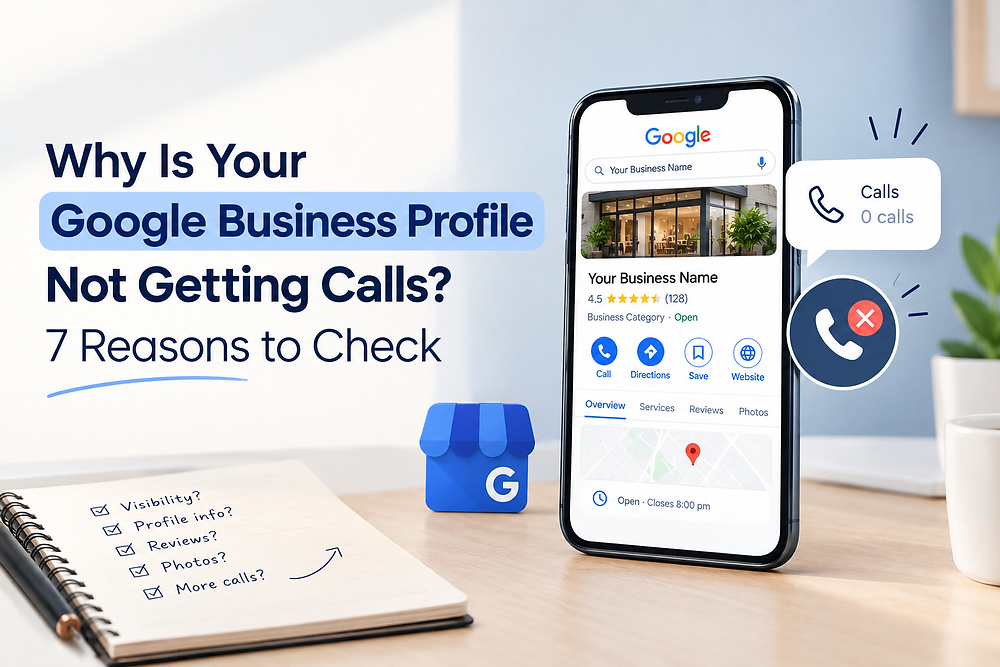
Have your Google Business Profile been getting views but no calls? Have you noticed your Google Business Profile is getting views and no calls?
You are seeing website traffic on your Google Business Profile but Google Business Profile Not Getting Calls. But this may be frustrating, if you want to reach local customers via Google Search and Google Maps. Your Google Business Profile might not be receiving calls because it is missing information, lacking customer trust or has an unclear service offering.
Views indicate that your business is finding viewers, but don’t mean that you are getting enquiries. Let’s look at some of the most frequent issues and ways to enhance and optimize your profile with effective Google Business Profile optimization.
1. Your Business Information Is Incomplete
When you don’t provide enough information, there’s a chance your customers will be hesitant to reach out to your business. The details that people require to make a choice should be included in your profile.
Make sure your profile contains:
- Company name and telephone number is correct.
- Correct business hours and address.
- Business category relevant to the business.
- Complete service information.
- A clear business description.
- Your website name (if applicable).
Ensure that all information is correct and up-to-date. When you provide customers with all the information, they will know your business, and they will make their decision on whether your services will meet their needs.
Complete information can help improve your Google Business Profile performance and make it easier for potential customers to contact your business.
2. You Are Attracting the Wrong Audience!
Users who are not interested in your services may view your profile. It can occur if your business type, service description or geographic location isn’t a match with your customer’s.
Include relevant main (primary) categories, include secondary categories where relevant and add a clear description of your services, which will make your posting more relevant.
For instance, if a digital marketing agency is offering services in Rawalpindi, they should be clear about the services they provide, including SEO, website development, or social media marketing, and make sure that these services actually exist.
Google Business Profile optimization allows your potential customers to know what you can offer to them.
3. You Don’t Build Trust with Your Profile
Before calling a business, customers frequently compare businesses. If there are not many reviews on your profile or the photos are not up-to-date, or you don’t have a lot of information, they might choose another provider.
Build trust by:
- Seeking out genuine customers to get honest reviews.
- Taking up customer feedback professionally.
- Posting original photos of your business.
- Sharing real images of your business.
- Ensuring information is current.
- Maintaining up-to-date information.
- Making sure that your services are clearly explained.
Do not pay for reviews or any false information. A good profile makes it easier for your potential customers to contact your business and can help improve trust in your Google Business Profile.
4. The Phone Number and/or Opening Hours Are Wrong
A Google Business Profile not getting calls may be the case of a simple contact issue.
Verify your telephone number and activation. Ensure that opening hours are accurate (including holiday hours if required).
Ensure that there is someone answering during business hours on incoming calls. If you are missing calls often, establish a process to get them back to you quickly.
Try putting yourself in the shoes of a customer. Any mistake could keep potential customers from coming your way.
5. You Don’t Have Clearly Explained Services
It may be hard for customers to see the value in your business if you aren’t clear in your business description.
Identify the services your business provides, the customers who need it, and the areas in which you provide services. To add individual services, log them onto your profile when they are offered.
Be sure to make use of keywords throughout the website, but don’t overstuff or add irrelevant keywords to your business name.
Service information helps customers decide whether your service is the right one for their needs, and promotes the right type of enquiries. Clear services can also support Google Business Profile optimization by helping customers understand what your business offers.
6. You Have Some Outdated Photos or Updates
Images enable customers to get an idea of your business before calling you. A profile that lacks or contains outdated photos might not give as much information as a profile with actual, current photos.
Submit pictures of your workplace, team, products or finished projects from your field of work. You can also post business updates on your Google Business Profile with the help of the available features.
Find real images that accurately portray your company. The goal is to make potential customers feel like they’re informed about the business they’re considering.
7. Your Local SEO Needs Improvement
Google Business Profile is just one component of your online identity. Your website, reviews, business information and local relevance can affect the way that customers find and assess your business.
Google states relevance, distance and prominence are the three factors that primarily influence local results. While paying Google may not improve local rankings in organic results, it certainly does not hurt.
Please read the official guidance here: https://support.google.com/business/answer/7091
To boost your local SEO for small businesses, maintain uniformity of your business information, build informative pages, ask for authentic reviews, and keep your website informative.
A strong local SEO strategy and accurate business information can help customers discover and evaluate your business through Google Search and Google Maps.
8. When It Comes to Metrics, You’re Not Measuring What Matters
Don’t measure the success of your profile by traffic. Check Google Business Profile performance data to learn about customers’ interactions with your profile.
Monitor:
- Profile views.
- Search terms.
- Call-button interactions.
- Website clicks.
- Direction requests.
Google’s calls metric can be used to identify the number of clicks that the call button receives – but it does not necessarily indicate a call was made.
See the official guide: https://support.google.com/business/answer/9918094
If you have a high number of views but low number of clicks on the call button, check your services, photos, reviews and contact details. If there is no answer, refine your call handling process if the customer clicks to call.
How to Get More Calls from Google Maps
To find out how to get more calls from Google Maps, you have to begin on the fundamental level. Enter correct phone number, fill out profile, update services, add real pictures, and establish trust by using real customer reviews.
Afterwards, track the performance consistently and adjust accordingly from customer communication. Don’t assume that it happens overnight – local visibility and enquiries may vary over time.
If your Google Business Profile is getting views but no calls, review your profile information, services, customer reviews and contact details to identify possible improvements.
Conclusion
Views are not the only thing that will make your Google Business Profile be able to receive calls. Your customers require value-added information, services, reviews and contact details.
Optimize your Google Business Profile, enhance your local SEO and track results to know what to focus on.
Work N Solution’s SEO, digital marketing, and website development services are designed to enhance a business’s online visibility. Businesses can engage with their target audience if they maintain a profile or have a clear local strategy that their audience can find.